Author: pramod

  • Crawl sitemap links using Website Crawler

    Crawl sitemap links using Website Crawler

    A sitemap, as you may already know, is the most important part of a website. It contains a list of links of a website and helps search engines in crawling/indexing pages which it may not find it. Today, I have good news for the users of Website Crawler. WC can now crawl the links it finds in the sitemap file. Yes, that’s right. This feature was on our checklist and we have rolled it out today.

    In case you’re wondering how to use the new XML crawl feature of Website Crawler, here’s a tutorial that you can follow.

    How to make Websitecrawler crawl sitemap links?

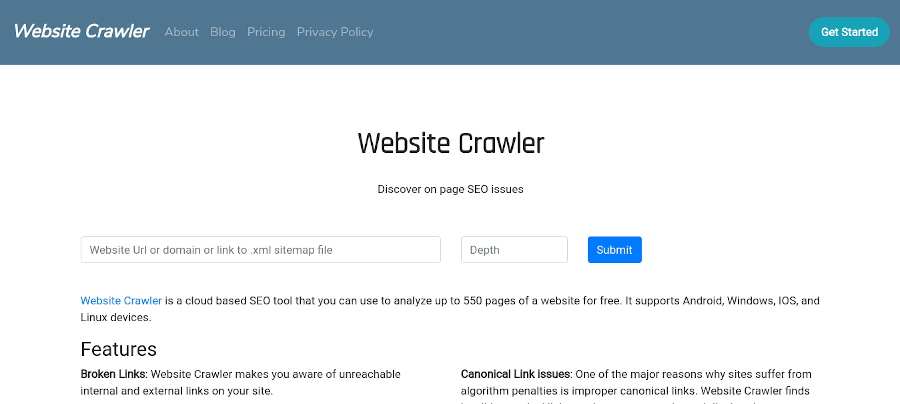
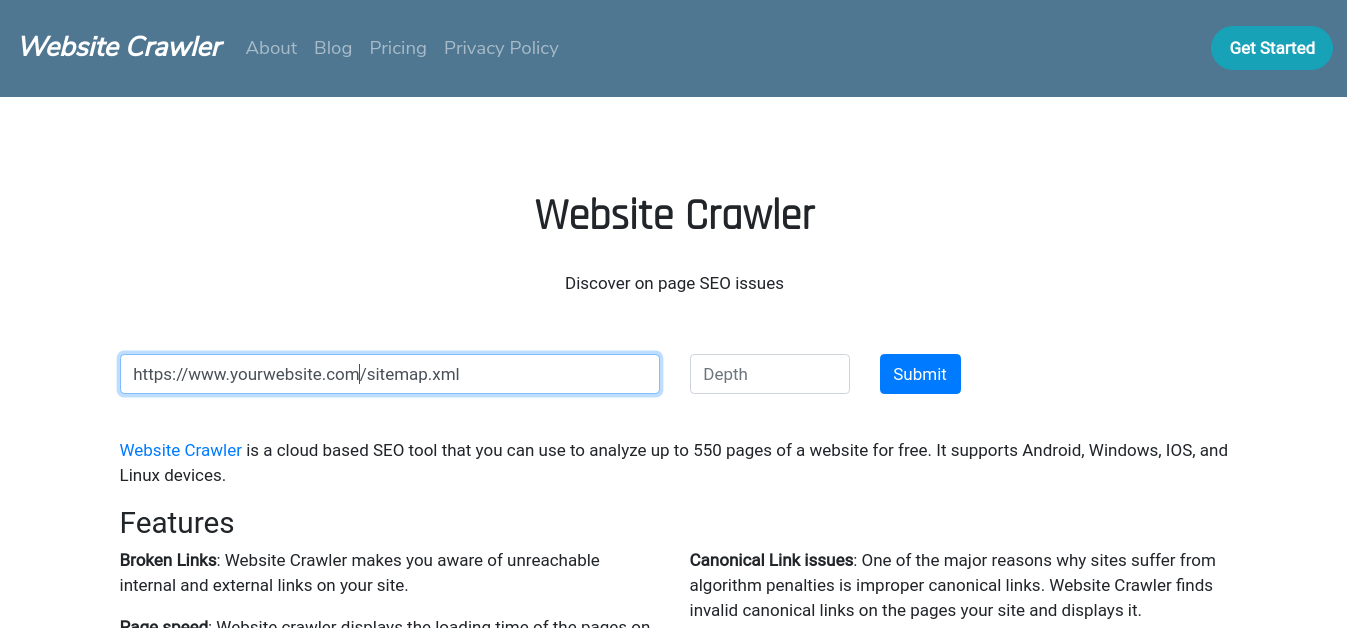
    Enter the direct link to the XML format sitemap file of your website in the large text box you see on the Website Crawler’s homepage. Don’t worry about the file’s size. WC can analyze sitemaps containing 25000+ URLs.
    sitemap crawl

    Once you enter the URL, enter the number of URLs you want the website crawler to crawl in the “Depth” textbox. Now, click the submit button.

    Note: Free account of WC supports 550 URLs i.e. no matter how big the sitemap file is, only up to 550 URLs will be processed. Our Silver (paid) plan supports 2500 URLs.

    When you hit this button, WC will start crawling your website URLs. To see the status i.e. current URL being crawled and the list of processed URLs, click the “Status” button.

    Once WC finishes processing the sitemap links, you’ll see a new form that asks you to enter your email address. Enter your email ID and click the submit button. WC will now send a verification email to your inbox. Enter the 3 digit code in the textbox and hit the button “Submit”. WC will now create your websitecrawler.org account through which you can see the On-Page SEO reports of your website.

    Conclusion: If you want Website Crawler to analyze a fixed set of URLs or the links of the sitemap files only, enter the link to the sitemap file instead of a website URL in the large text box that you’ll find on WC’s home page.
  • Google de indexing your site? Learn how to find the root cause of this issue and fix it

    Google de indexing your site? Learn how to find the root cause of this issue and fix it

    Google dropping 1000s of pages from its index is a nightmare for bloggers, webmasters, developers, and online business owners. One of my sites has around 28000 pages. Google had indexed around 12000 pages of this site but in the last few months, it started dropping the pages from its index.

    If you’re following SEO news closely, you might know that Google De index bug has been a talk of the town of late. This bug has affected several large websites. I ignored the issue of “deindexing pages on my website” thinking that the Google De index bug may be responsible for it. This was a dreaded mistake.

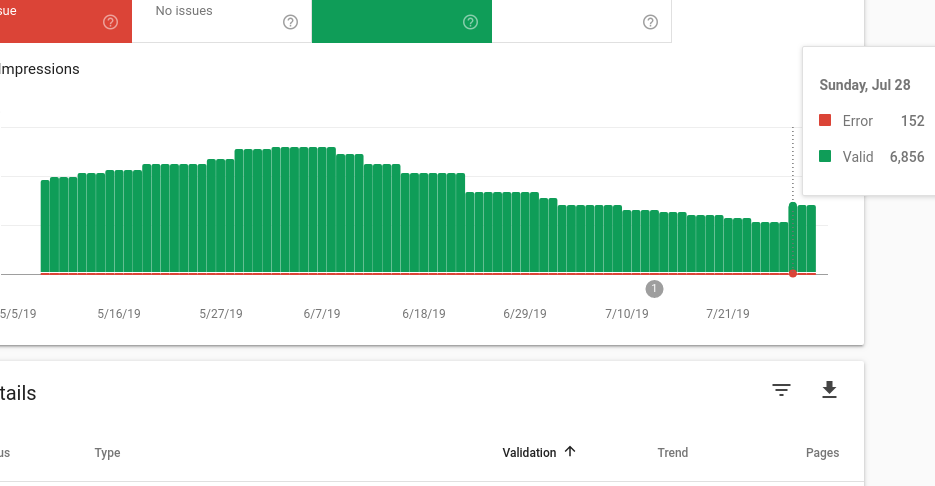
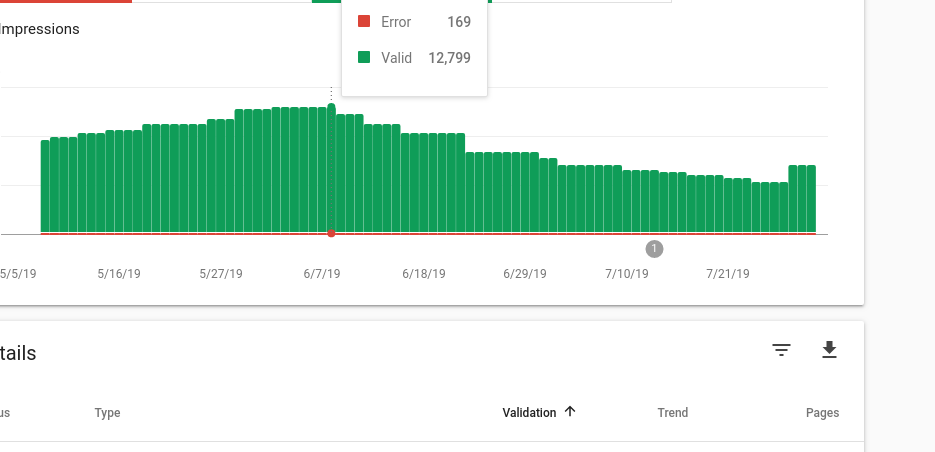
    Google kept on dropping pages of my site from its index. A few weeks after spotting the issue, I re-checked the coverage report of Google Search Console hoping that Google may have fixed the De Index bug. I was shocked to find that the total indexed pages were now 5670 (From 12000, the count of indexed pages dropped to 5670).

    Google Search Console Coverage Report

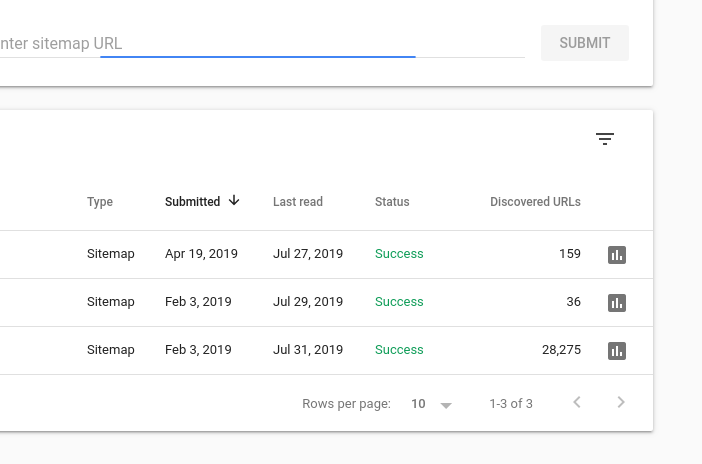
    Sitemap

    sitemap

    Did Google De Index bug affect my site?

    No, it was a technical issue.

    How I found and fixed the De Indexing issue?

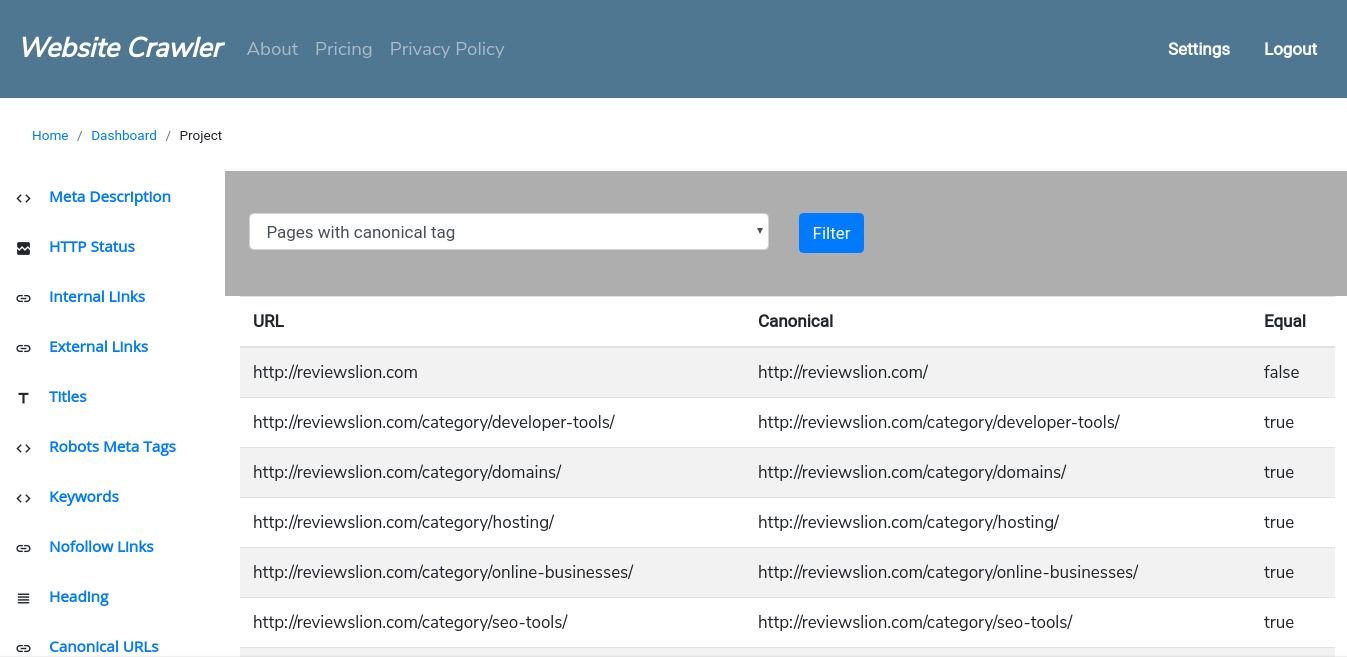
    I ran Website Crawler on my affected site. Then, I logged into my account. The first report I checked was the “Meta Robots” tag report. I was skeptical that the pages are being deindexed because one of my website’s function was injecting meta robots noindex tag in the website’s header but I was wrong. This report was clean. Then, I opened the “HTTP Status report to see whether all the pages on the site were working or not. The HTTP status for each page on the site had the status “200”. The next report I checked was the “Canonical Links” report. When I opened the report, I was shocked to find that several thousand pages of the affected website had an invalid canonical tag.

    A few days after fixing the issue Google started indexing the dexindexed pages

    after fixing the issue

    Tip: If Website Crawler’s Canonical Links report interface displays false instead of true in the 3rd column, there’s a canonical link issue on the page that is displayed in the same row. See the below screenshot:

    How does the report look like?

    canonical links checker

    The issue on my site

    The valid syntax for canonical links is as follows:

    <link rel="canonical" href="" />

    I mistakenly used “value” instead of “href” i.e. the canonical tag on my site looked like this:

    <link rel="canonical" value="" />

    The “Value” didn’t make sense and it confused Googlebot, Bingbot and other search bots. I fixed this issue and re-submitted the sitemap. Google started re-including the dropped pages once again (see the 3rd screenshot from the top).

    Conclusion: If Google is de-indexing 100s or 1000s of pages of your website, you should check the canonical and robots meta tags of the pages of your website. The issue may not be at Google’s side but a technical error like the one I’ve mentioned above may be responsible for this.