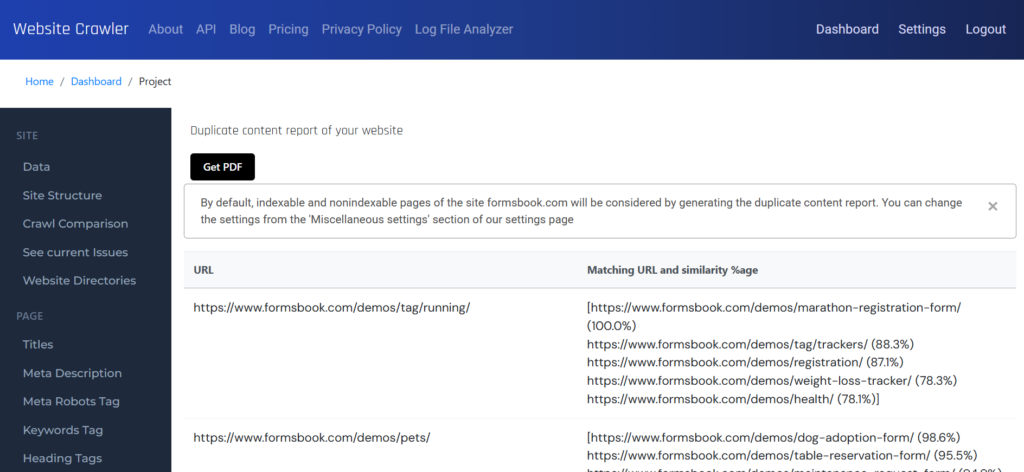
Whether it’s near duplicate or exact copy of the content, WebsiteCrawler identifies the two across 1000s of pages in a few seconds. Our platform considers the repetition of phrases and words to identify it. By default, WebsiteCrawler considers non-stopwords to identify duplicate content. The platform does this to avoid false positives. What are stop words? WebsiteCrawler maintains a list of 100+ commonly used words. Such words will be ignored while generating the report.
Website Crawler identifies up to 10 matching pages for each URL. It displays the URLs and the percentage similarity which can be up 100. The ideal score should be less than 70. If the page’s score for similarity is more than it, WebsiteCrawler.org flags it and considers the page as a duplicate.
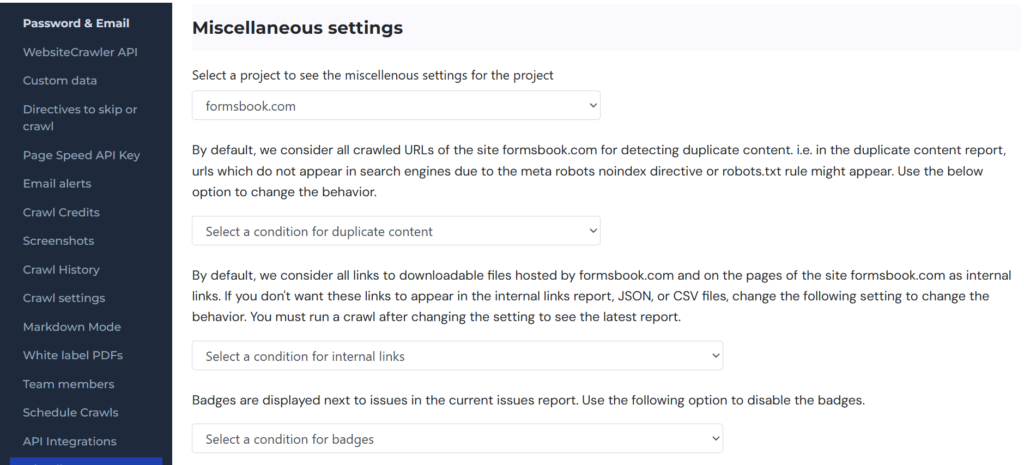
WebsiteCrawler can be configured to consider only indexable URLs/pages (pages without meta robots noindex directive) while identifying the duplicate content on the site. If you don’t want our platform to consider URLs which will not be indexed by search engines, you can visit the settings page and click the “Miscellaneous” menu on the left sidebar. Now select the project from the drop down list. Find the setting “Select a condition for duplicate content” and select the “Consider indexable URLs” item from the list. Your miscellaneous setting for the selected project will be saved automatically. Now visit the duplicate content report to see the latest results.
The duplicate content report is generated once a day because the backend does heavy work in the background while generating this report. Furthermore, if a site is big, it is impossible to fix the content issues in a day on 100s of pages. If you have fixed the content, run a crawl and open the report again to see the latest changes on the next day.
Leave a Reply